
GenAI Screenshot Description
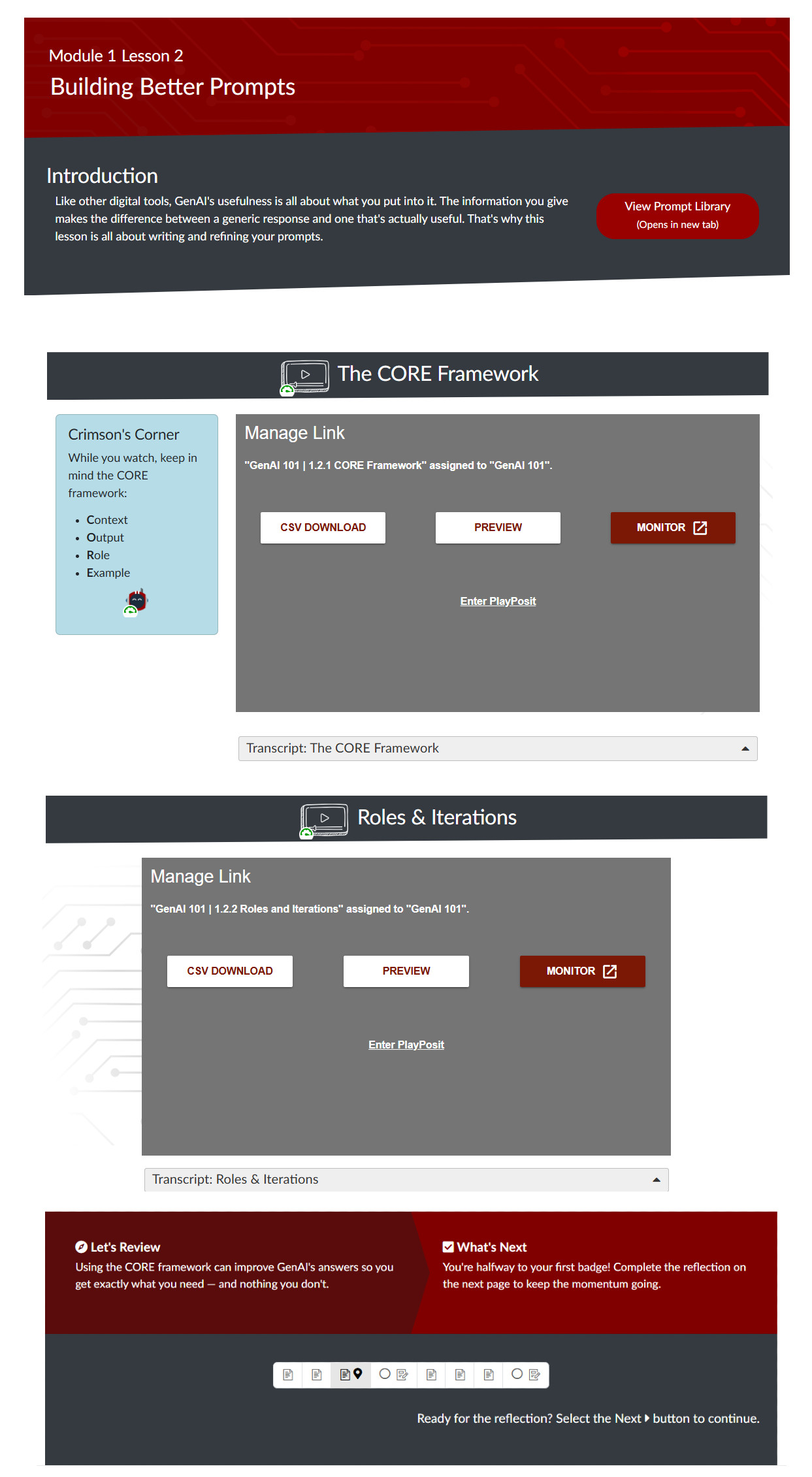
The image shows a full lesson page from the GenAI course as it would appear in the Canvas CMS. It can be categorized into three sections: A header, body content with videos, and a footer. The following describes each section and relevant visuals that they include.
Header
The header is made up of two rectangles stacked on top of each other with bottom edges sloping down to the left. The top rectangle contains the page title ("Module 1 Lesson 2, Building Better Prompts") and has a red background with circuit lines superimposed on it.
The bottom rectangle is dark grey. It contains introductory text giving context to the lesson and a link to view the course's prompt library in a new tab.
Body Content
Each lesson page has between 1 and 3 videos. Each video is labeled with a heading; it also includes an icon of a video with a play button that has alt text of "Video", to help orient learners who are blind or have low visioin.
The first video has as a callout box before it (floating left) called "Crimson's Corner". These callouts were used throughout the course to draw students' attention to key information or provide things to think about.
Course videos were presented in the PlayPosit tool and included open-ended questions to encourage students to reflect on their learning. Each video was designed to pause at specific times and show a sidebar with a prompt and a textbox in which students could write their answer. The videos are not shown here as they are owned by the instructor.
Beneath each video is an HTML details widget (also called an accordion) containing the video's transcript. Transcripts include all audio, title screens, and visuals not described in the narration.
An image of grey circuit lines is overlaid on the page background behind each video.
Footer
The footer is made up of three sections. The first section reviews the lesson's content and is shaped like an arrow pointing to the section section, which provides a brief description of what students will be learning in the next lesson. The third section is a grey rectangle that contains a module progress bar and a guiding note for students to proceed to the next lesson or activity.